Text Messages as Evidence: How to Save Texts for Small Claims Court
"I have the texts" isn't the same as "I can show the texts." Here's how to save them so a judge who wasn't there can follow along.
Updated on Oct 26, 2026
"I have the texts." It's one of the most common things people say about their case. But having the texts isn't the same as being able to show them. The judge wasn't there. They only know what you can put in front of them.
The good news is that saving texts the right way doesn't take special software. It takes a few careful habits, and about an hour with your phone.
The quick answer: how do you save text messages as evidence?
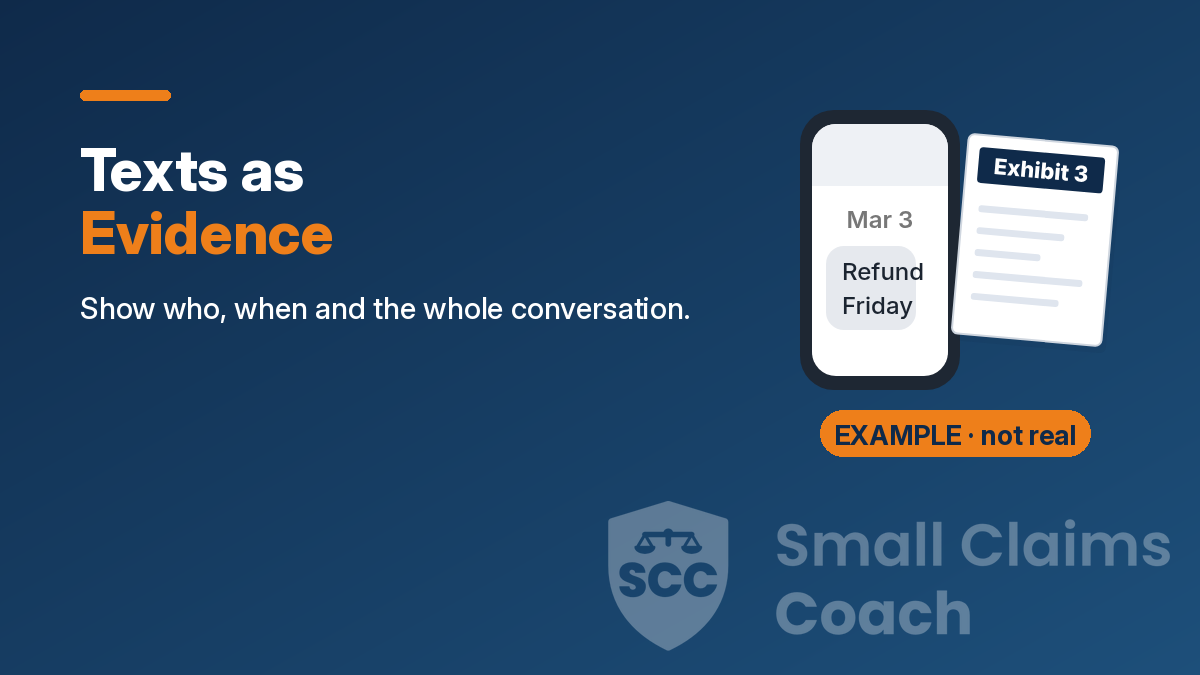
Screenshot the whole conversation, not one bubble. Make sure each shot shows who the messages are with and when they were sent. Overlap your screenshots, add a shot of the contact card, keep the originals, and bring printed copies in date order.
- Show who. The name or number at the top of the screen.
- Show when. The date header above the messages, and exact times if they matter.
- Show both sides. Your messages and theirs, in order, uncropped.
- Overlap. Scroll about halfway between shots so nothing looks left out.
- Tie the name to a number. Screenshot the contact card.
- Keep the originals. Don't delete the thread. Back up your screenshots.
- Plan on paper. Print in date order and bring copies. Check your court's rules on copies and devices.
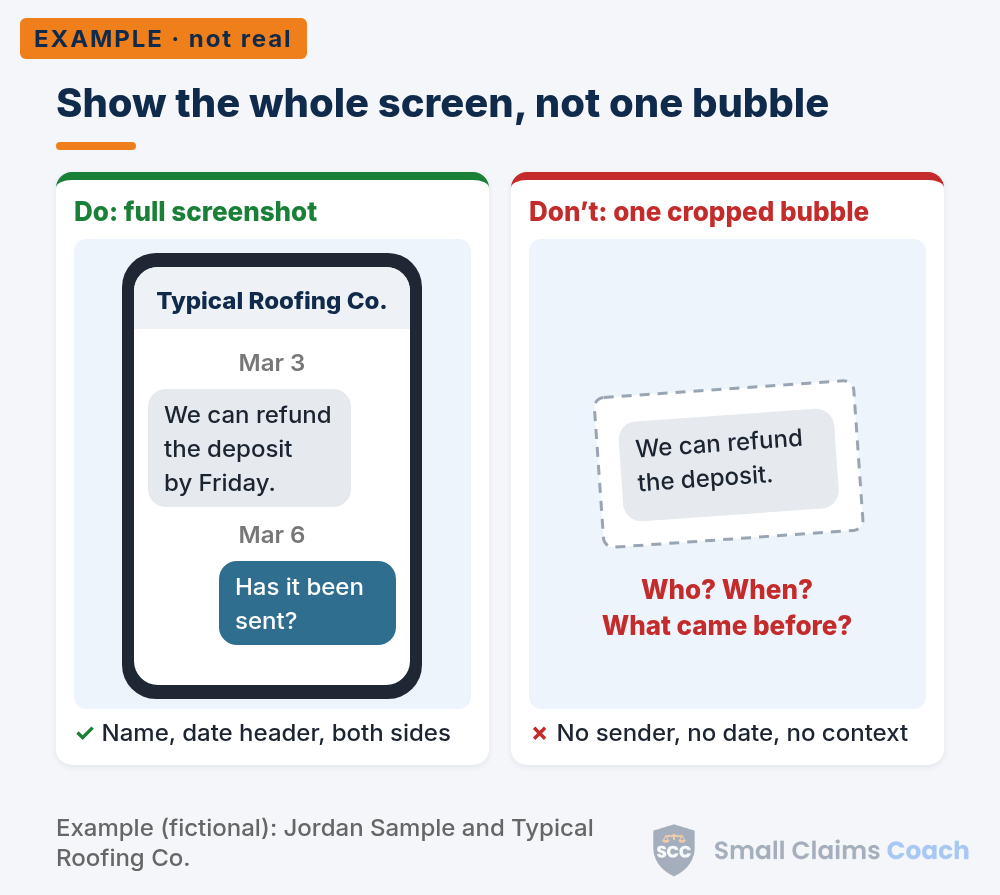
Example (fictional): Do: a full screenshot with "Typical Roofing Co." at the top, the Mar. 3, 2026 and Mar. 6, 2026 date headers and both sides. Don't: one cropped bubble, "We can refund the deposit," with no sender, date or context.
Saving texts for court? Get the full guide.
The full guide is for Playbook members: how to turn texts into exhibits, a fictional worked example, and a checklist for getting your texts ready for court. The Playbook also gives you a filled-in sample of your state's claim form (every state and DC has one; for Mississippi, Oklahoma and Wyoming it's a sample layout we made, so you'd get the real form from the court clerk) and your state's Playbook section. One membership covers every state. $149 for your first year (introductory offer), then $199 a year. Join now.
What makes a text screenshot useful?
A screenshot is only as good as what's in the frame. A useful one answers three questions without you saying a word:
- Who is this with? (Name or number at the top.)
- When was it sent? (Date header, and time if it matters.)
- What did both people say? (Your side and theirs, in order.)
The most common mistake is cropping down to the one line that helps you, like "We can refund the deposit." On its own, that bubble doesn't show who sent it or when. It also loses what came before and after, which is often where the meaning is.
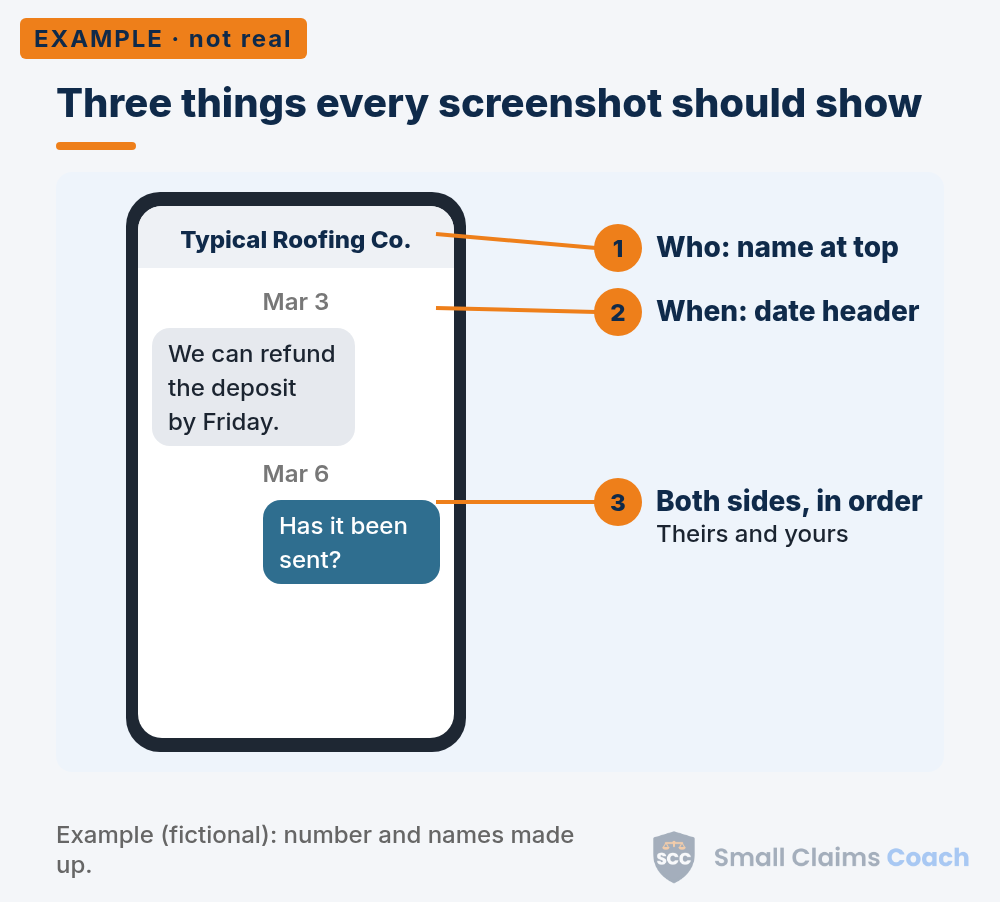
Example (fictional): 1. Who: the name at the top. 2. When: the date header. 3. Both sides, in order.
How do you screenshot a whole conversation?
Start a little before the important messages, with a date header in view. Take a screenshot. Scroll about halfway, so the bottom half of your last shot is now at the top, and take another. Repeat until you reach the end.
A guide for people gathering text evidence from the National Council of Juvenile and Family Court Judges (NCJFCJ) describes the same method. It also notes that "Courts often want to see entire conversations." So capture the messages before and after the key moment, not just the moment itself.
Think of the repeated messages as stitches. They show that shot two picks up exactly where shot one left off.
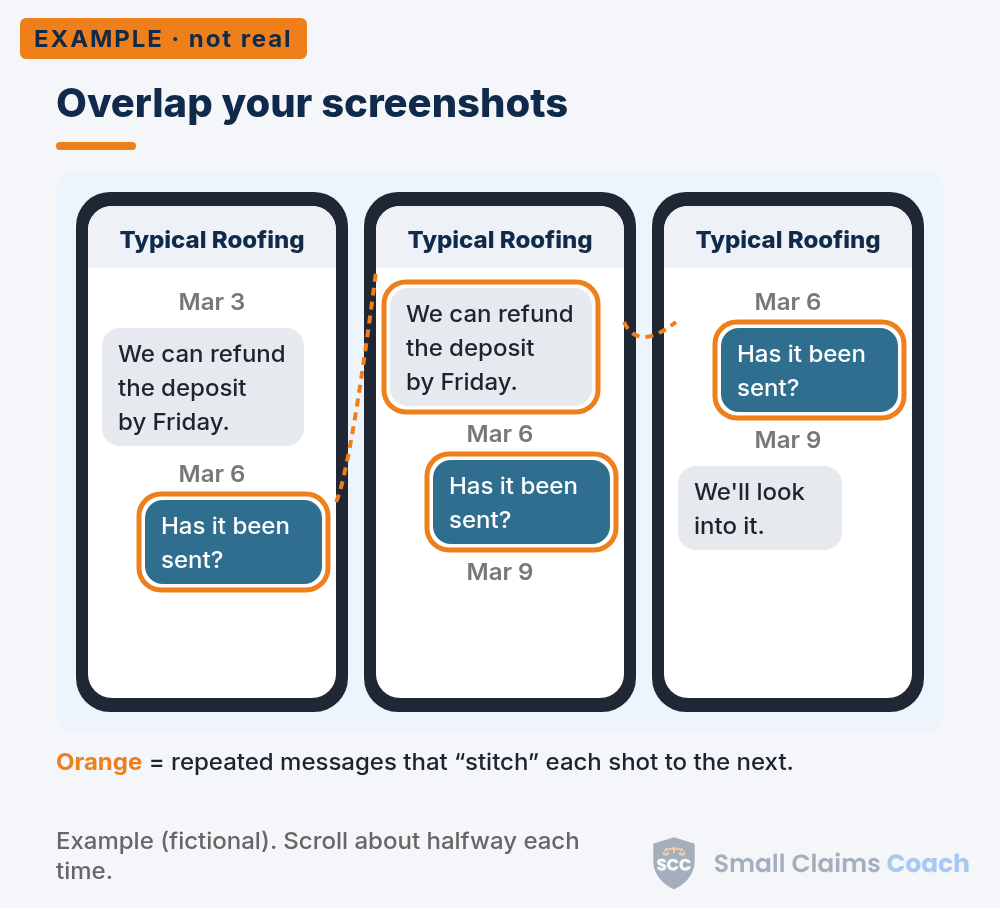
Example (fictional): three screenshots, Mar. 3, 2026 to Mar. 9, 2026. The highlighted messages repeat from one shot to the next.
How do you show the exact time?
The date usually shows as a gray header above a group of messages. Exact times are often hidden. The NCJFCJ guide says you "may need to tap or swipe on the message to show the date and time it was sent." On many iPhones, swiping left in the conversation shows the times. (Source: Send and reply to messages on iPhone, Apple iPhone User Guide.) In Google Messages on Android, touch and hold the message and look in the menu (sometimes under More) for the message details, which can show when it was sent or received. On some versions, swiping left on the conversation shows the times. The steps vary by phone and app, so look for the same idea on yours.
How do you show who sent it?
A saved name like "Roofer" doesn't prove much by itself. Open the contact details and screenshot the card that shows the name and phone number. The NCJFCJ guide suggests the same step when the sender isn't clear from the screenshot.
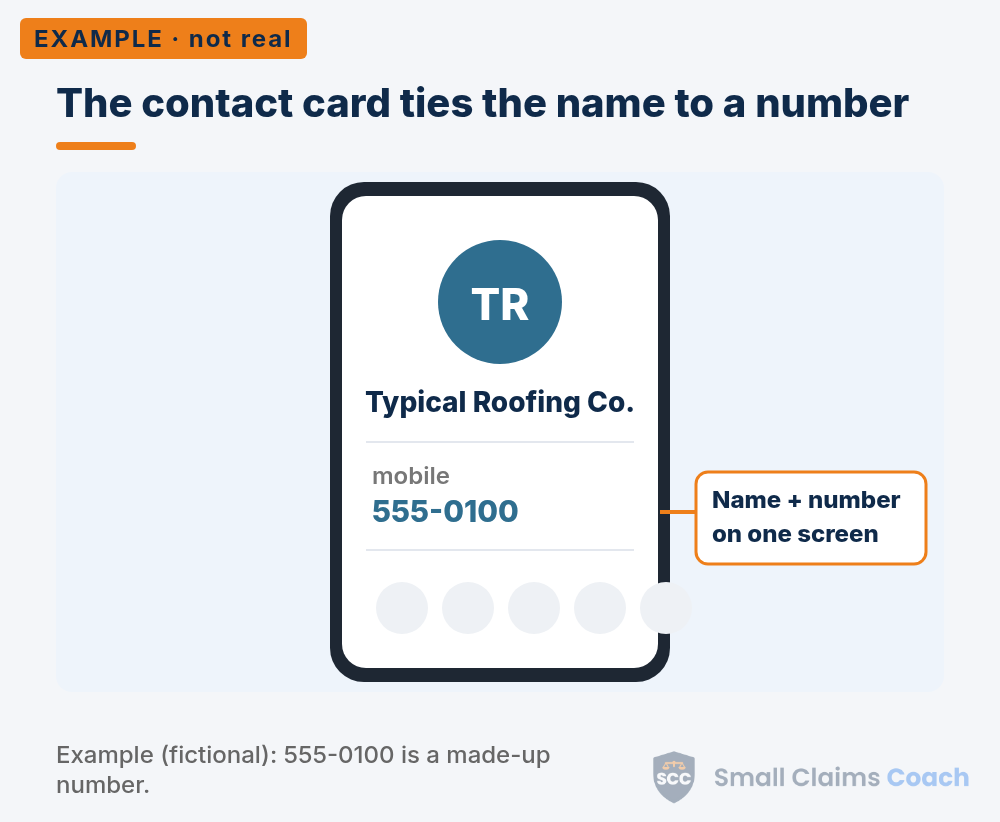
Example (fictional): the contact card for "Typical Roofing Co." showing a made-up number, 555-0100.
Next: turn your texts into exhibits.
The full guide shows how to turn texts into numbered exhibits and what to do if the other side says the texts are fake. The Playbook's exhibit-label guide helps you put them in order. General legal information, not advice about your case.
Can you just show the judge your phone?
Don't count on it. Some courts say no outright. North Dakota's small claims hearing guide says, "You can't hand the judicial officer your cell phone or other electronic device to look at evidence!" King County District Court in Washington tells people, "You must print out a copy of the messages you want the Court to see," and adds that "The Court Clerks do not make copies for parties."
Other courts accept digital evidence in certain ways. Rules vary, so planning on paper is the safe habit. Check your state guide or ask the clerk.
Still bring your phone with the original thread on it. If anyone questions a printout, you can show where it came from, if the court allows it.
Frequently asked questions
Are screenshots of texts enough for small claims court?
They're how many people present texts. A useful one shows who, when and both sides. Overlapping shots and a contact card make them stronger. Check your court's rules on how to submit them.
How many copies of my texts do I need?
Usually one for the judge, one for the other side and one for you. Some courts have their own rules, so check yours.
Do I need to print years of texts?
No. Print the full exchange around the key moments, with a few messages before and after so nothing is out of context.
Can I use deleted text messages?
Maybe. Look for them in a backup, on another device, or in the other person's replies. Whether and how they can be used depends on your court.
Can I export my whole text thread?
Some chat apps have an export option. Built-in texting apps often don't offer a simple way to export a whole conversation, which is why careful screenshots are the usual approach. You can save an export too if you have one.
Rules vary by state and court. This information is for educational purposes only. It is not legal advice. We try to keep every page up to date, but local rules, fees, and information change regularly. If you have questions, or our numbers don't match what your court publishes on its website, double-check with your court clerk.
This website and our Playbook are designed to give you the tools and confidence to handle your small claims case yourself, without a lawyer. If you think something is missing, we would like to hear about it so we can keep improving our Playbook. But if your situation is complicated, does not fit the samples we cover, or a filing deadline is close, you may want to call a lawyer.
What Playbook members get in the full guide:
- What about photos, voicemails and other apps?
- How do you keep your texts safe?
- How do you turn texts into exhibits?
- Worked example (fictional)
- What if the other side says the texts are fake?
- Checklist: texts ready for court
- Common mistakes
The rest of this guide is for Playbook members. One yearly membership covers it. See the Playbook
Want the step-by-step Playbook?
Sample filings with made-up names, checklists, timelines, and hearing outlines.
See the Playbook